
Marketplace and licensing service for all Kaspersky products
b2b
enterprises and medium businesses
Task
-
Increase customer awareness of company products
Customers often learned about products only through review articles.
-
Address issues that lead to customer support requests
Purchasing the wrong license due to lack of clarity;
Difficulty identifying the correct license in case of compromise.
Plan
- Research

- CJM
- Mockups
- Test
Research
In-depth interviews with 16 respondents:
Customers;
Partners;
Internal users
including sales managers and technical support staff
Research Objective
To compile a list of issues customers encounter from the moment they show interest in the product until the license renewal stage.
To identify future development directions.
Identified Issues
- − Difficulty understanding what the license includes and its current status;
- − Unclear where the license is currently installed, where it isn’t, and why;
- − Uncertainty about which products are suitable for the organization;
- − Lack of information on where to download the distribution package to test the solution;
- − No visibility of newly released features or products.
Mockups
Marketplace
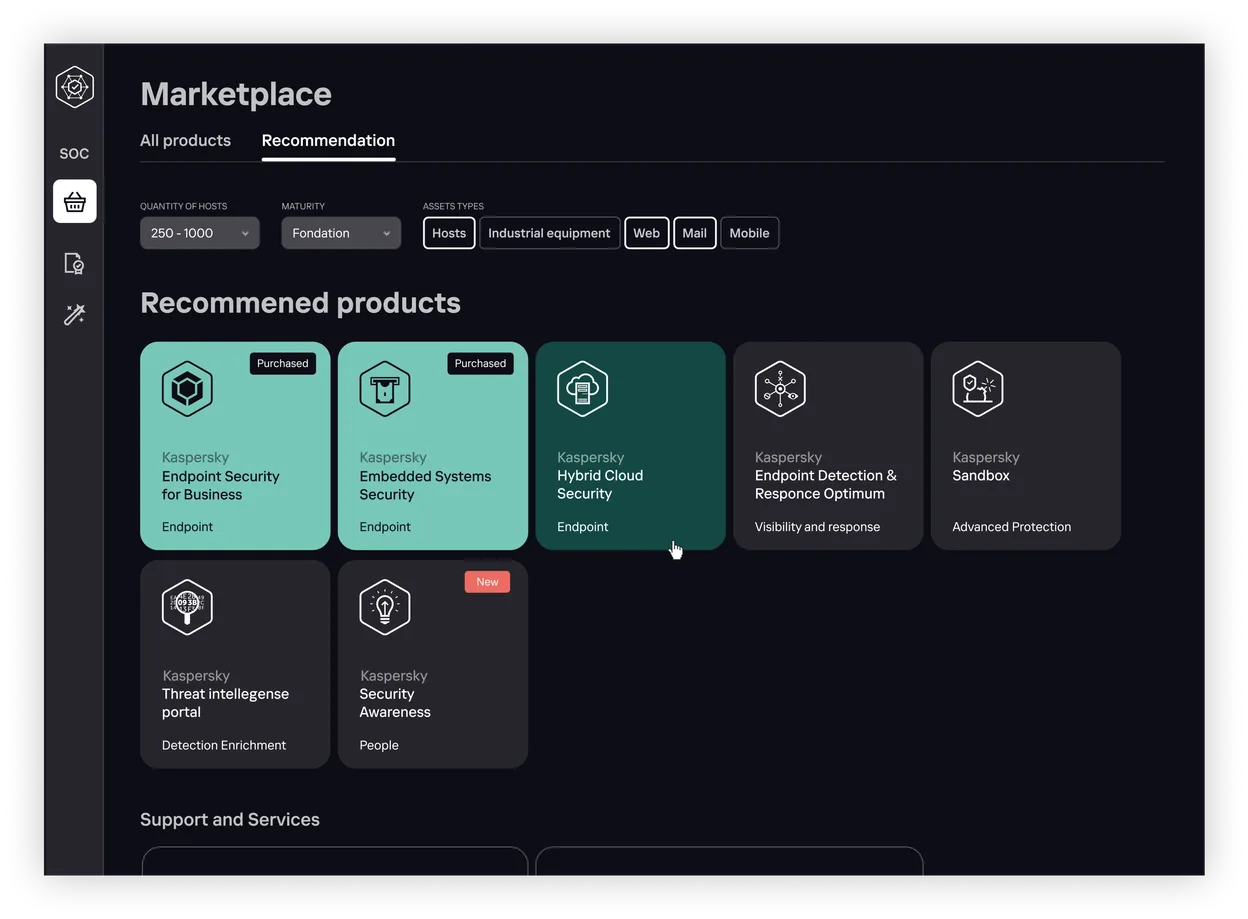



The section is integrated directly into
the product and displayed at the top level
A filter allows clients to select
the necessary products
The appearance of each product
card indicates whether
a license has been purchased
or highlights a new product
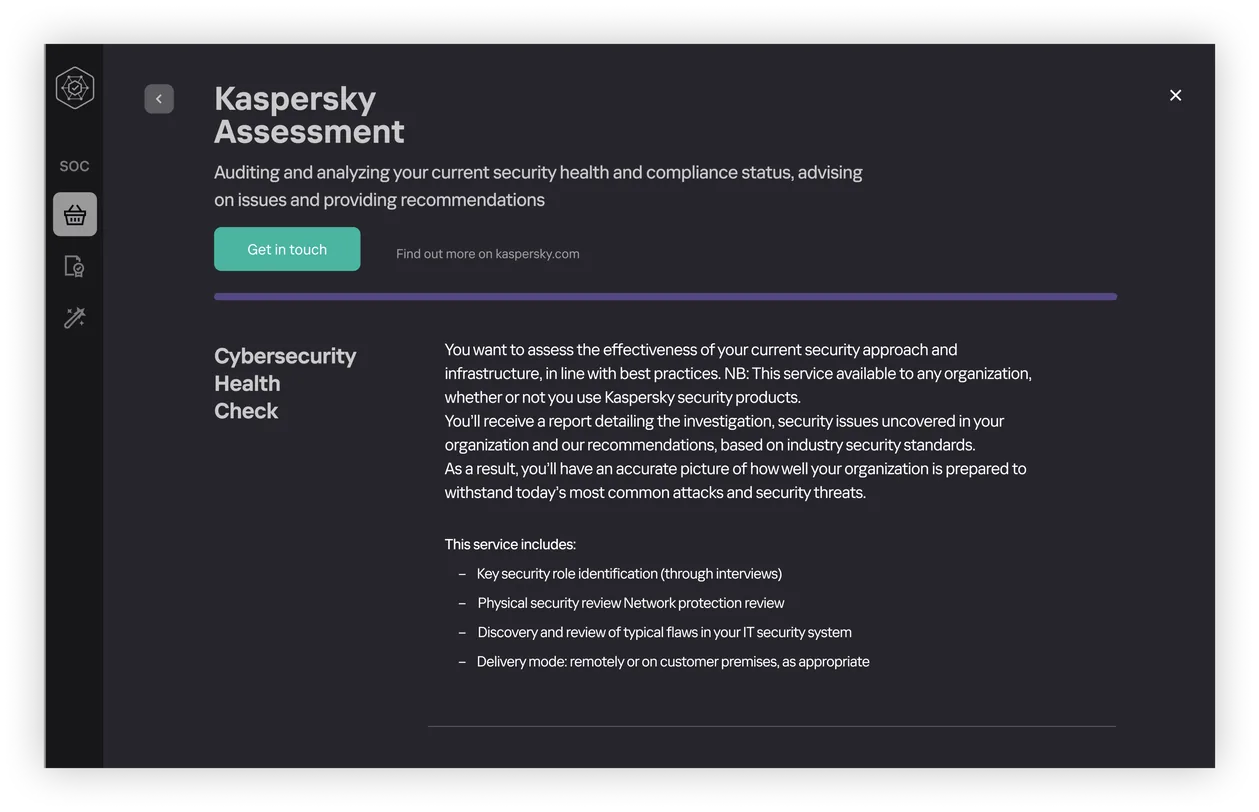

By clicking on a product card, users can learn more about
the product or service, request a trial version,
and download the distribution package
Licenses
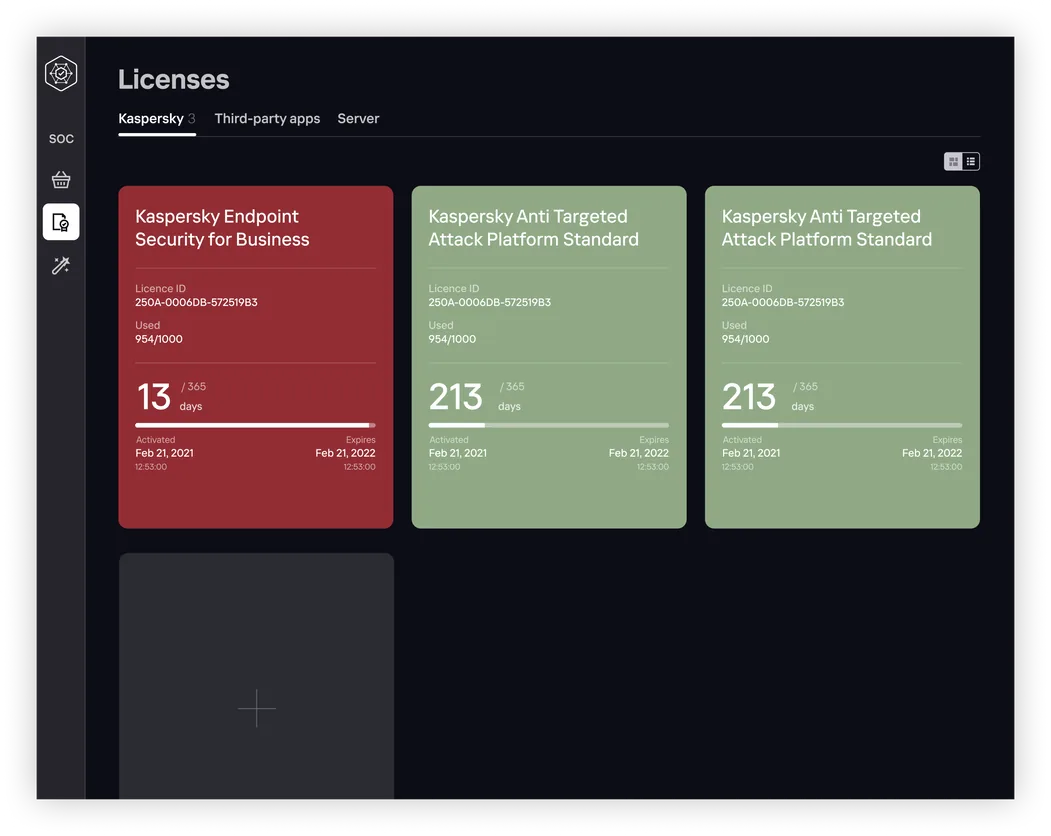
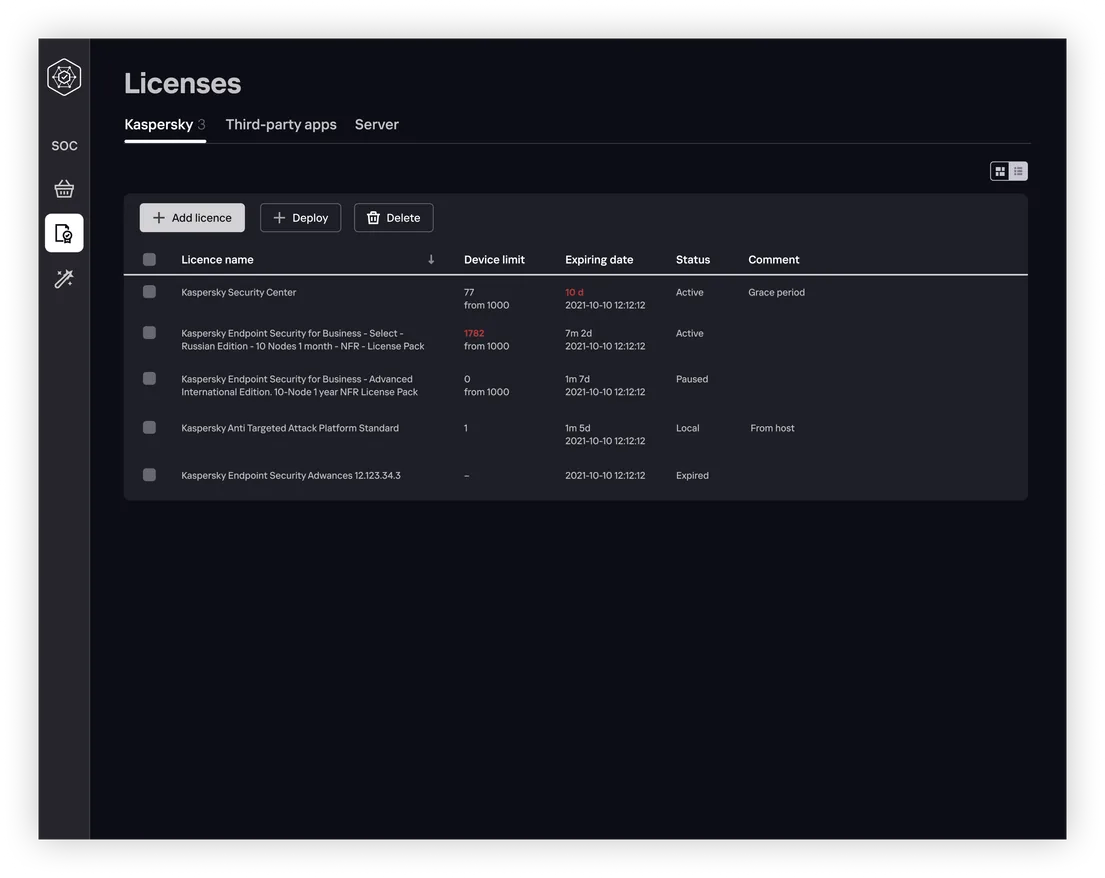


The license page has two views:
Card and Table. The table highlights
licenses that are expiring or exceeding limits,
while the cards feature color differentiation
for easy identification
Research revealed a need for a centralized repository for all company-purchased licenses. Storing licenses in one location makes them easier to locate
License Card
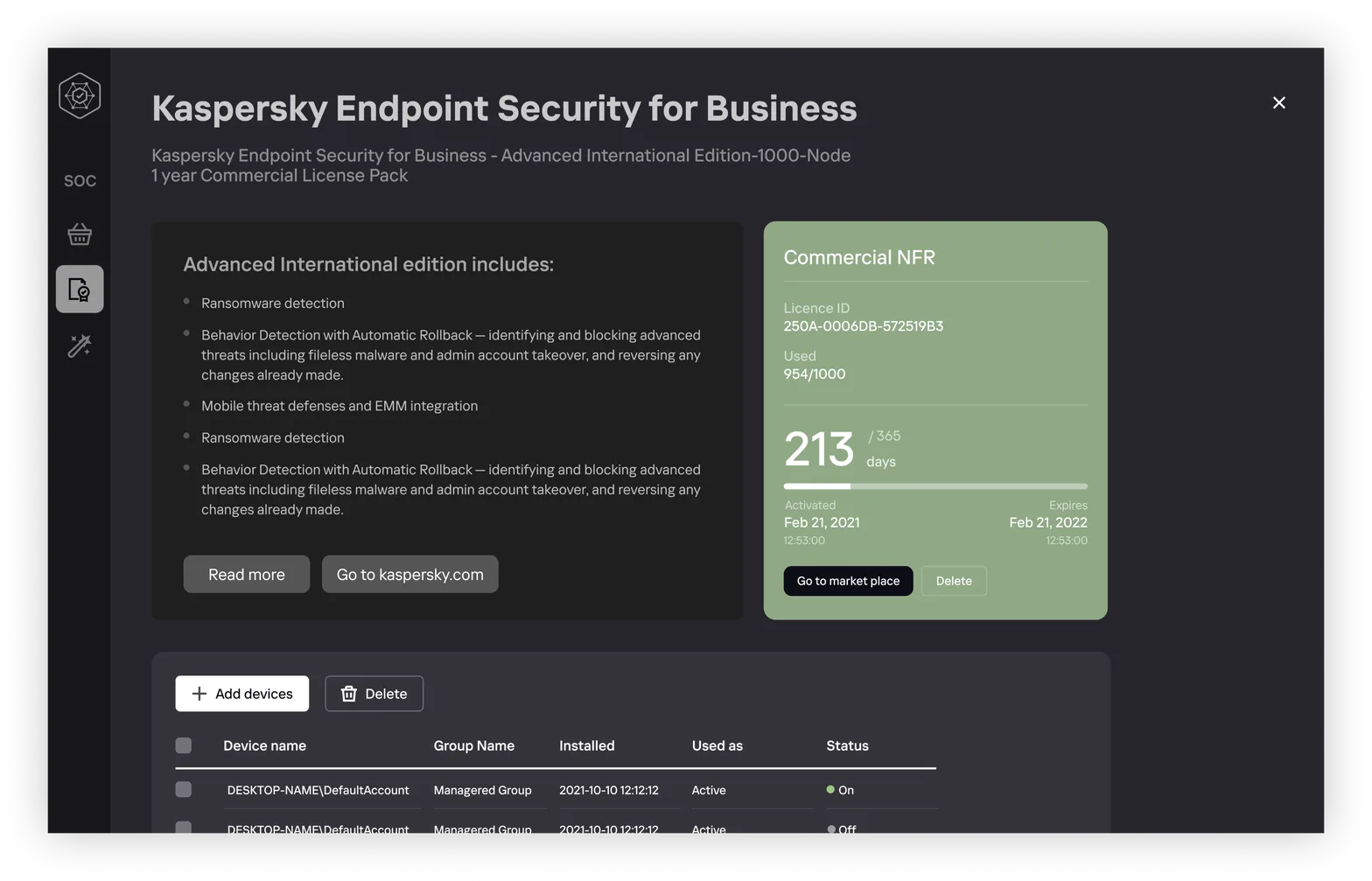




The license name is prominently displayed to simplify
communication with technical support
A consistent license card design was developed for all company products, displaying license contents, installation locations, and status
License Details
The license card shows the license contents, installation locations, and current status. Additionally, users can manage the list as needed.